







Southeast Michigan Home and Yard Logo
update
update
  • Home
  • Categories
    • Home
    • Yard
    • Technology
    • News
    • Food
    • Events
    • Featured

Southeast Michigan

HOME AND YARD

  • Facebook Home and Yard Page
    update
  • update
  • update
  • update
  • update
  • update
  • update
September 02.2025
3 Minutes Read

Unlocking Faster Internet: Discover the Hidden Culprits Behind Slow Wi-Fi Speeds

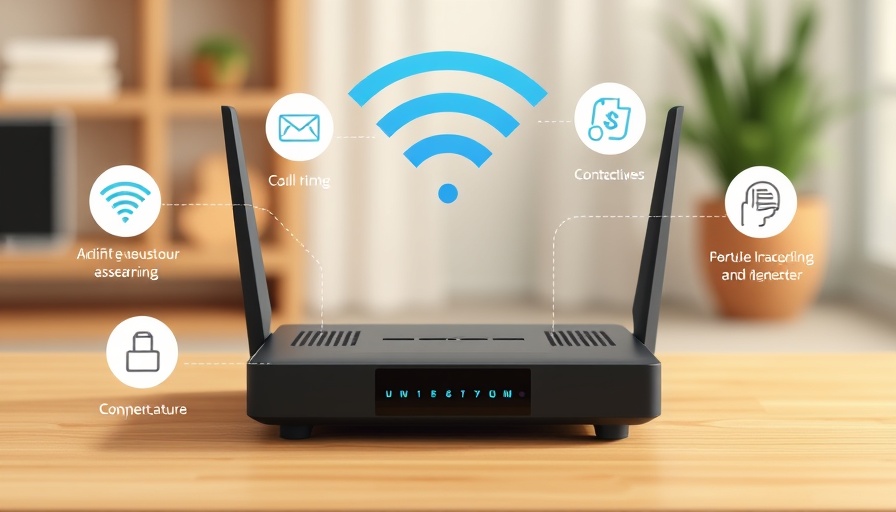
Infographic on Wi-Fi router issues affecting slow speeds.

Understanding the Frustrations of Slow Wi-Fi: What Homeowners Must Know

In today’s digitally connected world, having a reliable Wi-Fi connection is a necessity, especially for homeowners juggling work, education, and entertainment from the comfort of their homes. The aggravation of slow internet speeds can disrupt everything from streaming that much-anticipated movie to important video calls. Yet, rather than rushing to upgrade your equipment or switching providers, a closer look at your own home could reveal surprising culprits behind your connectivity woes.

Router Placement: A Key to Better Connection

The location of your router is critical for optimal Wi-Fi performance. Placing your router centrally, elevated, and in an open space prevents obstructions that can dampen signal strength. Many homeowners make the mistake of tucking routers away in cabinets or near heavy appliances, leading to weakened signals. Consider moving your router to a more advantageous position in your home to boost its performance.

Device Overload: An Overlooked Factor

Every device connected to your Wi-Fi network competes for bandwidth, which can significantly affect performance. With the rise of smart home automation, your network may be dealing with smartphones, tablets, smart TVs, and even smart fridges simultaneously. Regularly review the devices on your network and disconnect the ones that are unused to free up valuable bandwidth for your most important tasks.

Electronics Interference: A Silent Bandwidth Bandit

It’s not just your network that could be causing slowdowns; other electronic devices can interfere with your Wi-Fi signal. For example, cordless phones, microwaves, and Bluetooth devices can disrupt your connection. To mitigate this, move your router farther away from these potential sources of interference. If your devices support dual-band networks, switching to the 5GHz frequency can also help, as it is less congested and more resistant to interference.

The Importance of Up-To-Date Equipment

If your router is several years old, it might not support the speed capabilities of modern internet plans. Check to ensure your router is compliant with the latest Wi-Fi standards, such as Wi-Fi 5 or Wi-Fi 6. Most internet service providers offer free or low-cost router upgrades, and it’s worth inquiring about options available to you.

Bandwidth Management: Controlled Usage for a Better Experience

Bandwidth is a finite resource; certain activities consume more data than others. Engaging in bandwidth-heavy activities like 4K streaming, online gaming, or large downloads can slow down your entire network, especially if multiple users are online simultaneously. A practical tip is to schedule large downloads for late at night or use your router’s Quality of Service (QoS) settings to prioritize bandwidth for essential tasks like video conferencing, ensuring smoother performance during high-demand times.

Be Wary of Software Issues

Slow speeds can often stem from software issues, including malware that drains your device's resources. Regularly updating your software and running security scans can help keep your devices fast and secure. This step can prevent malicious software from hijacking your connection, ultimately allowing for more efficient use of your broadband.

When Your Internet Plan Isn’t Cutting It

As families grow and internet usage skyrockets, your previously sufficient plan may no longer meet your needs. Review your internet plan to ensure it aligns with your family's current usage. If necessary, upgrading to a higher-speed plan can alleviate ongoing frustrations associated with buffering and slow loading times.

The Bottom Line: Enhance Your Internet Experience

Before you rush to make costly changes or upgrades, consider the factors discussed. Smart adjustments in your home environment can alleviate slow Wi-Fi speeds significantly without breaking the bank. From optimizing router placement to managing connected devices and addressing bandwidth use, homeowners in southeastern Michigan can find practical solutions that enhance their internet connectivity. As technology continues to evolve, staying informed about how to best utilize it will ensure your home remains a tech-savvy haven.

For more targeted tips about optimizing your home’s wireless connectivity, explore our free Wi-Fi Tuneup guide and start enhancing your online experience today!

Technology

Write A Comment

*
*
Please complete the captcha to submit your comment.
Related Posts All Posts
05.23.2026

Roborock Qrevo Slim: The Ultra-Low-Profile Robovac that Transforms Home Automation

Update Roborock Qrevo Slim: The Future of Home Cleaning Technology The new Roborock Qrevo Slim is changing the way we think about home cleaning. At just 3.2 inches high, this robot vacuum is designed to glide effortlessly beneath furniture, tackling dirt and debris in those hard-to-reach places that traditional vacuums often miss. The Cutting-Edge Technology Behind Its Design Equipped with Roborock's advanced StarSense Navigation System, the Qrevo Slim utilizes a combination of side-mounted sensors and a solid-state LiDAR to create a sophisticated mapping of your home. This technology ensures that the vacuum can navigate obstacles with unparalleled accuracy, avoiding 73 types of objects. Such precise navigation reduces the chances of getting stuck or damaging your furniture, significantly improving its usability. High-End Performance for Affordable Prices Priced at approximately $849.99, the Qrevo Slim is not the cheapest option on the market, but its performance justifies the investment. The dual brushes and 11,000 Pa suction power ensure that it picks up debris on multiple surfaces, from hardwood to carpets. Moreover, the Qrevo Slim excels at picking up pet hair, making it a viable choice for pet owners. Innovative Multifunctional Dock: A Game Changer in Maintenance The Qrevo Slim comes with an impressive multifunctional dock that not only auto-empties the dustbin but also cleans the mop pads and refills the water tank. These features mean that homeowners can go up to seven weeks without needing to manually clean or empty their vacuums, as the system takes care of itself. Comparative Advantages Over Traditional Models Unlike many traditional robotic vacuums, the Roborock Qrevo Slim combines its low-profile design with a powerful mopping system. The dual spinning mops apply pressure to lift stubborn stains, while the automatic lifting mops prevent wetting carpets during vacuuming. This seamless blending of vacuuming and mopping sets it apart from others in its class. Smart Features for Enhanced Control Controlling the Qrevo Slim is as easy as speaking to it. With built-in voice assistant capabilities, consumers can initiate cleaning sessions or check in on their pets from anywhere. The Roborock app adds unparalleled convenience, allowing users to customize their cleaning routines, set virtual barriers, and even receive pet care updates. The Bottom Line: Why This Vacuum is Worth Your Attention If you're a homeowner looking for a reliable cleaning solution that marries high-tech features with practical utility, the Roborock Qrevo Slim is clearly a frontrunner. With its layout designed for maximum accessibility and a strong performance record, it’s a worthwhile investment for anyone in Southeast Michigan aiming to embrace home automation and modern technology. In conclusion, the Roborock Qrevo Slim vacuum not only liberates homeowners from the tedious chores associated with maintaining cleanliness but also integrates well within a smart home framework. For those who prioritize cleanliness without sacrificing their valuable free time, this device might just be the answer they've been searching for.

05.22.2026

Unlocking the Power of a Multi-Gig Home Network: A Homeowner's Guide

Update Understanding Multi-Gig Home Networks: What You Need to Know In an era where our homes have become centralized hubs of connectivity, building a multi-gig home network isn't merely about speed; it's about future-proofing your digital life. As more smart devices connect to the Internet—from TVs and gaming consoles to home automation systems—speed isn’t the only consideration; reliability and scalability also play essential roles. Here’s a detailed guide for homeowners in Southeast Michigan on how to set up this advanced infrastructure effortlessly and economically. The Real Cost of Fiber Internet in 2026 As of 2026, fiber internet remains the gold standard for connectivity. Users can expect to pay anywhere between $50 to $150 a month depending on the provider and plan chosen. Multigigabit options, which offer speeds of 2 Gbps or higher, typically start at $100 per month. This investment pays off not just in speed, but in the consistent performance required for multiple users and devices operating simultaneously in a home. In competitive markets, price-lock guarantees and additional perks have made fiber increasingly attractive to both new and existing customers. Why You Should Consider Upgrading to a 2.5G Ethernet Switch One potential bottleneck in the home network is the limitations of the existing router, which often offers only a few gigabit speed ports. By utilizing a 2.5G Ethernet switch, homeowners can expand their available ports while increasing the speed of their wired connections significantly. A 2.5G switch operates seamlessly with Cat5e cables already installed in most homes, thus eliminating the need for costly cable upgrades. These switches are also easy to set up, enabling users to connect multiple devices without any technical skills. Setting Up Your Multi-Gig Home Network To get started, evaluate the devices you plan to connect: computers, gaming consoles, smart TVs, and more. Calculate how many additional ports you’ll need based on your current setup and consider opting for a 2.5G switch if your internet speed exceeds 1 Gbps. Remember that while a switch does not increase your internet speed directly, it removes bottlenecks and enables your devices to utilize faster speeds effectively, enhancing performance for online gaming, video streaming, and large file transfers. Predictions: What the Future Holds for Home Connectivity As technology evolves, so do our connectivity requirements. Future upgrades may include improved Wi-Fi standards such as Wi-Fi 6 and beyond, which enhance capacity and range for smart home devices. Furthermore, as more people work and play from home, the demand for seamless connectivity will rise, ushering in an era where home networks are not just a luxury, but a necessity for everyday life. Common Myths About Home Networking One widespread misconception is that faster internet speeds always require extensive rewiring and advanced technical knowledge. In reality, many homeowners can achieve substantial upgrades with minimal effort by purchasing the right equipment. Additionally, many assume that all routers can handle higher speeds; often, they cannot, making it critical to research both your router’s capabilities and the best performance equipment suited for multi-gig networks. Conclusion: Get Ahead of the Curve To navigate the evolving landscape of home technology effectively, homeowners in Southeast Michigan should consider upgrading their home networks to accommodate multi-gigabit internet. By investing wisely in fiber plans and the right hardware, individuals can enhance their connectivity experience while future-proofing their homes. Now is the time to reevaluate your setup and ensure that your home network can keep pace with technological advancements. Don't wait—start planning your multi-gig home network today!

05.21.2026

Philips Hue vs. WiZ: Which Smart Lighting System is the Best Investment for Your Home?

Update Choosing the Right Smart Lighting for Your Home As homeowners in southeast Michigan seek innovative solutions to enhance their living spaces, smart lighting options have surged in popularity. With two leading brands, Philips Hue and WiZ, on the market, it’s crucial to evaluate which system offers the best value for your hardware. Each brand brings distinct capabilities and unique user experiences to modern home automation. Philips Hue: High-End Connectivity and Customization Philips Hue is widely recognized in the smart lighting industry for its extensive features and compatibility. Beyond simply illuminating your home, it integrates seamlessly with other smart home devices, enhancing the overall experience. One of its standout elements is the rich array of customizable settings, enabling users to shift through millions of colors, set schedules, and even mimic sunrise and sunset. The system supports various protocols like Zigbee and Bluetooth, allowing users to connect directly to their smartphones and control lighting through voice commands via platforms like Amazon Alexa and Google Assistant. While Philips Hue requires an initial investment in a hub for full functionality, its extensive ecosystem justifies the price for many tech-savvy users. WiZ: Affordable and Efficient Smart Lighting In contrast, WiZ offers a budget-friendly alternative without sacrificing modern features. Designed to be user-friendly, WiZ products can connect directly to Wi-Fi, eliminating the need for additional hubs. This makes it accessible for homeowners looking to dive into smart lighting without a substantial upfront investment. WiZ enables users to control their lighting via a mobile app, making adjustments on-the-go. Moreover, its built-in presets allow users to choose adaptable lighting effects tailored for relaxation, focus, or activity. This ease of use makes WiZ a compelling choice for those seeking simplification in their home automation journey. Comparing Features: Philips Hue vs. WiZ When evaluating these two brands, consider essential factors such as compatibility, control options, and pricing. Philips Hue stands out for its expansive ecosystem with sophisticated features, while WiZ shines in affordability and straightforward installation. Philips Hue's offerings appeal to more technologically inclined users who value extensive customization, while WiZ caters to homeowners appreciating simplicity and efficiency. Local Insights: What Homeowners Are Saying in Southeast Michigan Feedback from homeowners in southeast Michigan reflects broader trends in smart lighting adoption. Many have expressed a growing interest in energy-efficient solutions, appreciating both the interactive features of Philips Hue and the cost-effective nature of WiZ. As communities become increasingly concerned about energy consumption, embracing smart technologies that reduce electricity usage has become essential. Future Predictions: The Evolution of Smart Lighting Looking ahead, the market for smart lighting is poised for significant growth. With the emergence of AI-driven solutions and advancements in IoT, we can expect both Philips Hue and WiZ to continue evolving their product lines. Consumers will likely see advancements that enhance this integration with new smart home devices, offering even more personalized experiences. In summary, choosing between Philips Hue and WiZ depends on your specific needs as a homeowner. If high-end features and advanced integration excite you, Philips Hue is a landmark choice. However, if you're looking for practicality and ease of use, WiZ may perfectly meet your expectations without breaking the bank. Exploring these two smart lighting systems can empower you to make smart decisions about lighting in your home. As the demand for home automation becomes more prevalent, now is the time to evaluate your options and determine the best lighting solutions for your lifestyle.

Terms of Service

Privacy Policy

Core Modal Title

Sorry, no results found

You Might Find These Articles Interesting

T
Please Check Your Email
We Will Be Following Up Shortly
*
*
*